
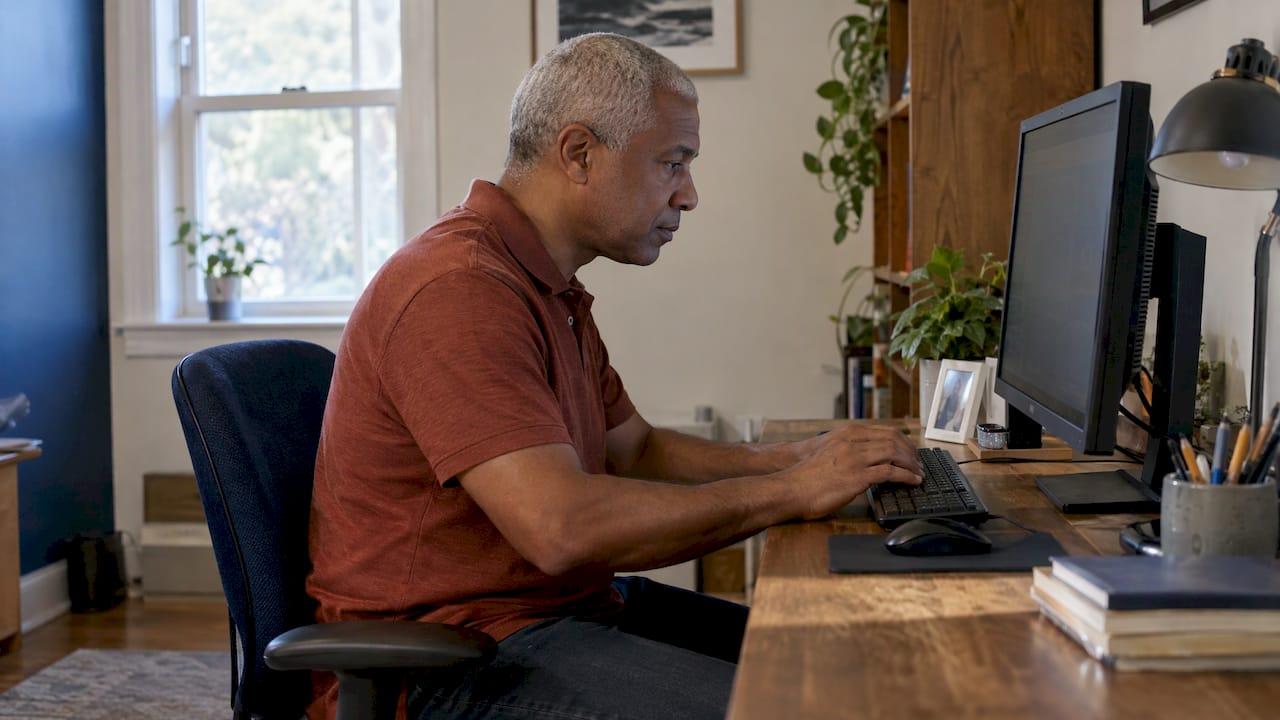
Desk neck pain usually comes from holding your head forward and your body still for hours, not from one bad moment. The good news is that most of the contributing factors sit within your control: screen height, chair and keyboard position, and how often you get up. This guide walks through each one with specific numbers from Mayo Clinic, OSHA and other medical sources. It also explains which symptoms mean you should have your neck evaluated rather than keep adjusting your workstation.
TL;DR
- Leaning toward a screen, slouching and sitting still for long stretches strain the muscles, joints and discs of the neck.
- Put the top of your monitor at or slightly below eye level, an arm’s length away (20 to 40 inches), and use an external monitor and keyboard with a laptop.
- Stand, stretch or walk every 30 to 60 minutes. Short breaks matter as much as a good chair.
- Pain that lasts more than a few days, spreads into the arms, or comes with numbness, weakness or headaches deserves a professional evaluation.
- If neck pain keeps returning despite a good setup, we can examine the upper neck, where the head and spine meet, with precise measurement and imaging.
Table of Contents
- Why a desk job strains your neck
- Set up your desk to take load off your neck
- Move more, because the best posture is the next one
- Do standing desks help?
- Our perspective on desk neck pain
- When desk neck pain needs a professional
- What a NUCCA visit looks like
- Ready to look at the cause?
- A simple weekly plan
- FAQ
- Sources
Why a desk job strains your neck
Your head weighs roughly 10 to 12 pounds, according to a Cleveland Clinic physician, and the farther it moves in front of your shoulders, the more stress it puts on your neck. Think of a bowling ball: held directly over your spine, it is manageable. Held out in front for hours, the muscles at the back of the neck and shoulders work constantly just to keep it from dropping.
Mayo Clinic lists poor posture as a common cause of neck pain. Slouching, leaning forward or looking down for long periods puts extra pressure on the muscles, joints and disks of the neck. The University of Kentucky’s health system adds that tilting your head forward to look at a screen increases the load on the neck significantly, and that many patients are surprised to learn their headaches are coming from the neck rather than the head.
Mayo Clinic Health System uses the term tech neck for chronic neck or shoulder pain, soreness or stiffness caused by poor posture while using phones or computers. Its clinicians explain that looking down makes neck muscles strain and the shoulders slump forward, which leads to muscle fatigue and pressure on the nerve supply in the neck. The same source notes that holding a static position for very long periods demands more effort from the body than moving does.
How much sitting is too much?
The numbers are worth knowing. A literature review of computer-related neck pain found that people who spend 95% or more of their workday sitting have almost double the risk of neck pain. It also found that sitting with the head in a flexed position roughly doubles the odds of work-related neck pain. Mayo Clinic cites a recent study showing that people who sit still for more than six hours a day are more likely to have neck pain, with even higher risk when that time goes to a computer or smartphone.
That same review is honest about one limit: the link between computer use and neck pain is well observed, but few long-term studies have shown it is strictly cause and effect. Neck pain without an obvious injury is thought to have several contributors, including physical, psychological, individual and environmental factors. In practice, that means your desk is rarely the whole story. Sleep position, stress, old injuries and how the upper spine is aligned can all add to what your workstation starts.

What it feels like
Desk-related neck trouble tends to show up in familiar ways:
- A dull ache or tightness across the back of the neck and tops of the shoulders by mid-afternoon
- Stiffness when you turn your head to check a blind spot
- Headaches that start at the base of the skull
- Pain that eases on weekends and returns Monday
- Mid-back or lower-back soreness, since Mayo Clinic Health System notes that extra pressure in the neck can spread to the mid and lower back
If the headaches are a regular part of your week, our article on chronic daily headaches and the neck explains how the two can be connected.
Set up your desk to take load off your neck
Start with the screen, because it decides where your head goes. Then work down through keyboard, chair and feet.
| Setup element | Target | Source |
|---|---|---|
| Viewing distance | 20 to 40 inches from eye to screen | OSHA |
| Monitor height | Top of screen at or slightly below eye level; center 15 to 20 degrees below horizontal eye level | OSHA |
| Bifocal wearers | Lower the monitor an additional 1 to 2 inches | Mayo Clinic |
| Monitor position | Straight in front, directly behind the keyboard | Mayo Clinic |
| Elbows, hips, knees | Elbows bent about 90 degrees; hips and knees near 90 degrees; feet flat or on a footrest | Cleveland Clinic |
| Chair recline | Torso-to-thigh angle of 115 to 120 degrees rather than straight up at 90 | Mayo Clinic |
A five-minute workstation check
- Sit the way you normally do when you are focused, not the way you sit when you remember to be “good.”
- Extend your arm toward the screen. Your fingertips should land roughly on it, which puts you inside the 20 to 40 inch range.
- Check that your eyes line up with the top third of the screen. If you tip your chin up or down to read, raise or lower the monitor.
- Let your shoulders drop. If they hike up to reach the keyboard, Mass General Brigham advises adjusting keyboard height so they do not.
- Bring your head back over your shoulders, gently tucked, rather than jutting forward.
- Increase your font size if you find yourself squinting. Johns Hopkins Medicine points out that squinting at small screens strains the neck and that larger text is a simple first step.
Laptops and phones
A laptop forces a choice between a good screen position and a good keyboard position, and your neck pays for it. Mass General Brigham recommends pairing a laptop with an external monitor and keyboard so you can set the distance between screen and keyboard independently. For phones and tablets, Mayo Clinic suggests holding the device up at eye level instead of bending your neck down to it.
What gear can and cannot do
A new chair or monitor arm helps, but no piece of equipment replaces changing position. If you want a clear look at what ergonomic gear can fix and where movement has to take over, that is a good companion to the checklist above. A 2025 systematic review found that active, hands-on ergonomic training reduced reported musculoskeletal symptoms more reliably than passive education, and that combining equipment changes with training or exercise generally did better than any single change.
Move more, because the best posture is the next one
Even a textbook setup becomes a problem if you hold it for eight hours. Johns Hopkins Medicine states that working in one position without breaks is a major cause of back and neck pain, even with an ergonomic arrangement, and advises getting up every 30 minutes to stretch and break the head-forward position.
The recommended rhythm varies a little by source, which is useful: you only need to pick one you will keep.
- Every 20 to 40 minutes: the literature review mentioned earlier cites research in which 30-second microbreaks effectively reduced work-related neck pain with no productivity cost.
- Every 30 minutes: Mayo Clinic suggests setting a timer, then standing during a call, walking a message over or taking a walking meeting. It also recommends the 20-20-20 rule for your eyes: every 20 minutes, look at something at least 20 feet away for 20 seconds.
- Every 45 to 60 minutes: Cleveland Clinic suggests attaching movement to habits you already have, such as a coffee refill, a water refill or a bathroom break.
Gentle strengthening
A systematic review and meta-analysis found level II evidence supporting strengthening exercise for office workers with non-specific neck pain, improving both pain and quality of life. The University of Kentucky’s clinicians also recommend gentle neck stretches and strengthening exercises alongside short breaks every 30 to 60 minutes. If you are unsure which movements suit your neck, ask a clinician to guide you before starting, especially if you have had an injury.
Do standing desks help?
Somewhat, and the research is mixed. In a 2024 study of people with forward head posture, using a standing desk for 30 minutes of typing improved head position, reduced fatigue in a key neck and shoulder muscle, and lowered neck discomfort from 4.00 to 3.50 points, while the traditional desk group’s discomfort rose from 4.17 to 5.33.

A separate 2024 study reported by ScienceDaily found that 65 percent of participants reported neck discomfort, and the difference between the stand-biased and traditional workstation groups was not statistically significant. The practical takeaway: a sit-stand desk is a tool for changing position more often, not a fix on its own. Alternate between sitting and standing, and keep the monitor at the same eye-level rule in both positions.
Our perspective on desk neck pain
We see desk neck pain every week at our three Twin Cities clinics, and most people arrive having already bought the chair, raised the monitor and set a break timer. When pain keeps returning after those changes, we look past the desk to the top of the neck.
The upper cervical spine, especially the atlas (C1) at the base of the skull, supports the head and works closely with the muscles that hold it up. Our view, shaped by 40 years of practice since Dr. Kerry and Lisa Johnson opened the first NUCCA clinic in Minnesota in 1986, is that a good workstation and a well-aligned upper neck work together. One reduces the daily load. The other is meant to help the neck carry that load more evenly.
That is why we measure and image before we ever adjust. NUCCA care is designed to be a precise, low-force correction with no twisting, popping or cracking, and the plan is built around holding alignment so you need fewer visits over time. Our five NUCCA-certified doctors do not guess where your neck is out of balance. We check.
Johnson Spinal Care Clinical Team
When desk neck pain needs a professional
Most desk-related stiffness settles with better habits. Some signs do not, and the right response depends on the symptom.
Get emergency care for severe neck pain after an injury such as a car accident, diving accident or fall, per Mayo Clinic.
Seek immediate medical care for a stiff neck with fever or chills, night sweats, nausea and vomiting or a severe headache, or for sudden arm weakness or numbness, shooting arm pain, loss of balance, or loss of bladder or bowel control, according to Mass General Brigham. These can signal meningitis or nerve injury and call for a medical doctor first.
Book an evaluation if the pain is intense, does not improve after a few days, spreads into your arms or legs, or comes with headache, numbness, weakness or tingling. Mayo Clinic gives the same list as reasons to contact a healthcare professional. The University of Kentucky adds that headaches that wake you from sleep or pain with vision changes should be evaluated by a medical professional. Mass General Brigham says a stiff neck lasting several weeks or months also warrants a doctor’s visit.
If you wake up with a stiff neck more than occasionally, our guide to waking up with neck pain covers sleep position and pillow choices that often compound a day at the desk.
What a NUCCA visit looks like
Many people with desk neck pain have heard that chiropractic means a hard twist and a loud pop. NUCCA is different. Care begins with a comprehensive examination and advanced imaging so the doctor can see how your head and upper neck sit relative to each other. Any correction that follows is precise and low-force, with no twisting, popping or cracking of the neck. You can read more in our explanation of how gentle chiropractic works.
If you also have lingering pain from a collision, our whiplash care in Apple Valley page explains how we approach injury recovery alongside your medical team.
Ready to look at the cause?
If you have fixed your setup and your neck pain, stiffness or headaches keep coming back, we would like to examine your upper cervical spine. Johnson Spinal Care has three clinics, in Apple Valley, Savage and White Bear Lake (Vadnais Heights), and our patients rate us 4.9 stars across 394 Google reviews. Learn about NUCCA upper cervical care, or see our neck pain care in Savage.

When you are ready, you can get started here and book your first visit.
A simple weekly plan
If you want a routine that fits a busy workday, build it in layers rather than trying everything at once.
- Day one: adjust monitor height and distance using the table above, and enlarge your font.
- Day two: set a recurring timer for 30 to 45 minutes and pick one movement to attach to it, such as standing for a call or refilling your water.
- Day three: move your laptop onto a stand or connect an external monitor and keyboard.
- Week two: add a short set of gentle neck and shoulder strengthening movements that a clinician has cleared for you.
- Week three: note whether symptoms ease on weekends, wake you at night or spread into your arms. If any of those apply, or the pain persists, book an evaluation.
Change one thing at a time so you can tell what helps. Keep notes on when the pain peaks, since the pattern is useful information for any clinician you see.
FAQ
Why does my neck hurt after sitting at a computer all day?
Holding your head forward and your body still makes the neck muscles work continuously, and slouching adds pressure on the joints and disks. Research links long, uninterrupted sitting and computer use with higher rates of neck pain. Adjusting your screen, taking short breaks and checking your posture usually helps. If the pain persists, have it evaluated.
How high should my monitor be to prevent neck pain?
OSHA guidance places the top of the monitor at or slightly below eye level, with the center 15 to 20 degrees below horizontal eye level. The screen should sit 20 to 40 inches from your eyes. Bifocal wearers may need it an additional 1 to 2 inches lower.
How often should I get up from my desk?
Sources differ slightly: Johns Hopkins Medicine and Mayo Clinic suggest every 30 minutes, and Cleveland Clinic says every 45 to 60 minutes. Even a 30-second microbreak helps. Choose an interval you will keep, and tie it to something you already do.
Can a chiropractor help with desk neck pain?
If pain returns despite a good setup, an evaluation of the upper neck may help identify what is contributing. At Johnson Spinal Care, we examine and image before treating, and NUCCA corrections are low-force with no twisting or cracking. We also work alongside your medical team when your symptoms call for it.
When is neck pain an emergency?
Severe neck pain after an accident or fall, or a stiff neck with fever, severe headache, vomiting, sudden arm weakness, loss of balance or loss of bladder or bowel control, needs immediate medical care. Do not wait for an appointment with a chiropractor in these situations.
Sources
- Neck pain: Symptoms and causes, Mayo Clinic
- A literature review of neck pain associated with computer use
- How your posture may be fueling neck pain and headaches, University of Kentucky
- Tech neck: Effect of technology, Mayo Clinic Health System
- Computer Workstations: Monitors, OSHA
- Ergonomic Desk and Office Setup, Cleveland Clinic
- Stiff Neck Remedies, Mass General Brigham
- Mayo Clinic Q and A: Avoiding pain while working at a desk
- Office ergonomics: Your how-to guide, Mayo Clinic
- Systematic Review: Ergonomic Interventions
- Addressing Neck and Back Pain When You’re Working from Home, Johns Hopkins Medicine
- Effectiveness of exercise in office workers with neck pain
- Effects of Postural Changes Using a Standing Desk
- Does the type of workstation you use make a difference, ScienceDaily
- What ergonomic gear fixes and what it cannot